

ANMENGXINLING
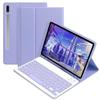
Case with keyboard for Galaxy Tab S10 Lite/S10 FE/S9FE/S9/S8/S7, Candy Colors Slim Protective Cover with Magnetic Detachable Keyboard with S Pen Holder, Purple
HK$739.47
HK$1,232.45
-
 Order within 47 minutes to get between June 20 - June 26
 -
 Tracked Shipping on All Orders
-
 14-Day Returns
- Secure Payments
-
 24/7 Customer Support
Description
- Compatibility - Galaxy Tab S10 Lite 5G 10.9 inch (Model SM-X400/X406B) 2025 Release, Galaxy Tab S10 FE 5G 2025 Release 10.9 inch (Models: SM-X520/SM-X526/SM-X526B), Galaxy Tab S9 FE 5G 10.9 inch (Models: SM-X510/X516B/X518U) 2023 Release, Galaxy Tab S9 11 inch (Models: SM-X710/X716B/X718U) 2023 Release, Galaxy Tab S8 2022 (Model: SM-X700/X706) and Galaxy Tab S7 2020 (Model: SM-T870/T875/T878)
- Multifunction Detachable Bluetooth KeyboardYou can remove the Wireless keyboard whenever you want from this cover. This keyboard works with iPadOS, iOS, Android and Windows system.such as iPad / iPad Air / iPad Pro / iPad Mini / Phone / Android Tablet / Smartphone and more.
- Galaxy Tablet Case with S Pen HolderThe unique S Pen slot makes it easy to grab your S Pen anywhere, anytime, avoiding losing it. NOTE: PEN AND TABLET ARE NOT INCLUDED.
- Full Protection Case with KeyboardThe Tab case has full edge coverage and great protection. Precise cutouts allow full access to all features (buttons, speakers, cameras).
- Suitable for Any Occasion & Ideal Gift ChoiceThis Keyboard Case is easy to carry or store, great partner for your business, study or entertainment. A fabulous gift choice on the holiday gift wish list for your beloved ones. Suitable for all special days for parents, kids, friends, lovers
Galaxy Tab keyboard case
Folio Magnetic
Built-in S Pen Holder
360 Full Body Protective Case
Candy Color Keyboard and Case
Daily Life Waterproof Detachable Magnetic Keyboard
3 Magnetic Stand Angle (support 120/125/135 viewing angles)
Samsung Tablet Wireless Connection
1, Turn on the power , the power indicator Iights on for 1 second ( if the indicator is red , please charge in time )
2, Press the connect key for 2 second , the Wireless indicator blue Iights flicker into the pairing state , and the effectjve time is about 120 seconds.
3, Open the Wireless search function of the external device , click the " Wireless Keyboard " searched .
4, After the pairing is successful,the indicator lights go out , and you can use the keyboard.
5, if your tablet is Galaxy Tab(Android System), you need press "Fn + Q" together, note:press this two button together. now it can work well.
6, if there is no operation in 10 minutes , the keyboard will go to sleep state and wait for 2~3 seconds by any key to wake up
Shipping and Returns
- We offer tracked shipping on all orders. Tracking information will be shared as soon as the order is dispatched.
- Please check the delivery estimate before adding a product to the cart. This is displayed for every product on the website.
- Available shipping methods and charges will be displayed at the time of checkout, depending on your exact location.
- All customers are entitled to a return window of 14 days, starting from the date of delivery of the product(s).
- Customers are advised to read our return policy for details of the return process, eligibility, refunds as well as cancellations or exchanges.
- In case of any issues or concerns about Shipping or Returns, please contact us and we will be happy to help.
AnMengXinLing.
Case with keyboard for Galaxy Tab S10 Lite/S10 FE/S9FE/S9...
HK$739.47
HK$1,232.45